Check documents together
Upload your commercial invoice, packing list and bill of lading to the shipment workspace. Review the information extracted by Cleargo and investigate discrepancies across the documents.
An invoice can look correct on its own and still disagree with the packing list or bill of lading. Cleargo brings your shipment documents together and uses AI to flag missing information and inconsistencies for your team to review.
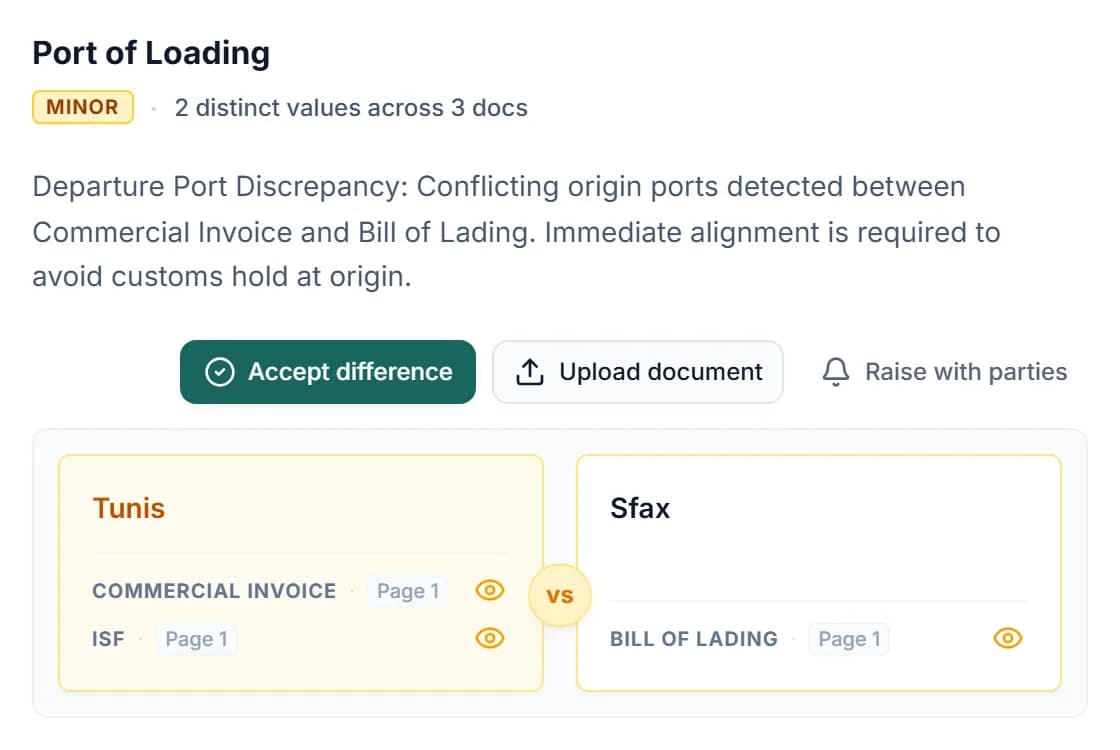
Upload your commercial invoice, packing list and bill of lading to the shipment workspace. Review the information extracted by Cleargo and investigate discrepancies across the documents.
Keep documents and conversations connected to the shipment. Work with your supplier or customer to clarify discrepancies and organize updated documents in one place.
Follow shipment status and live ETA alongside the documents, so your team can prioritize issues as arrival approaches.